Record, cut and post your GTA 6 clips.
Grand Theft Auto VI comes out on PS5 and Xbox Series X and S on 19 November 2026. Get your best moments off the console, cut them down and post them as a Short, all in REQO.
- PS5 and Xbox clips
- HDR that looks right
- 9:16 in one click
- Free
Catch it as it happens.
Plug a capture card into your computer and pick Console in the REQO desktop app. Turn on Instant Replay and it keeps the last 30 seconds to 5 minutes. Press F6 after a good moment and it is saved, at 60 fps, and in 4K on Pro.
No capture card? The console's own capture works too. Save the clip on the PS5 or Xbox and move it to your computer or phone, as shown below.
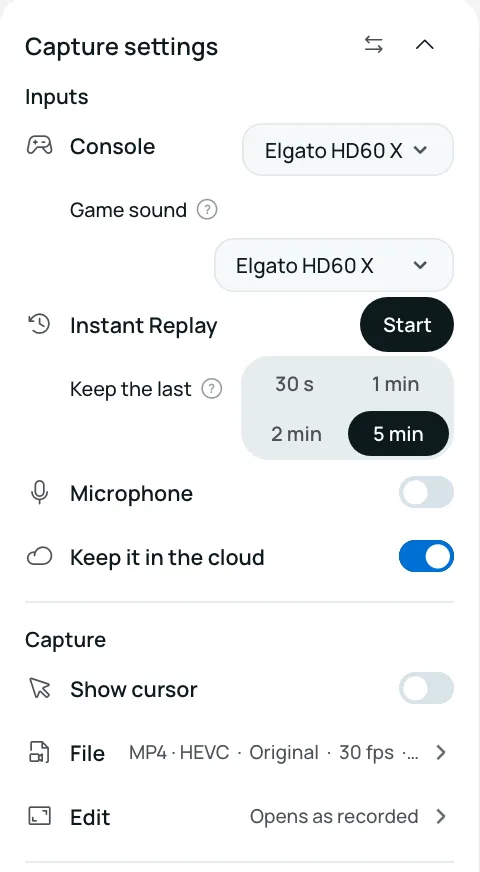
Console clips, looking right.
HDR clips look right
A PS5 WebM or an Xbox HEVC clip in HDR opens with its real colours, not grey and washed out. The export matches.
Cut to the moment
Trim the run-up, split out the best part, add text or captions. On the web, on the desktop app or on Android.
Keep it smooth
Record at 60 fps on the desktop app. On the web, change any clip to 60 fps with one tool (a Pro export).
Need 60 fps from a 30 fps clip? Change a video to 60fps.
A Short in one click.
Press Make a Short and a landscape clip becomes 9:16 for TikTok, Reels and YouTube Shorts. A blurred copy of the clip fills the space behind it, so there are no black bars.
In the web editor, the desktop app and the Android app.
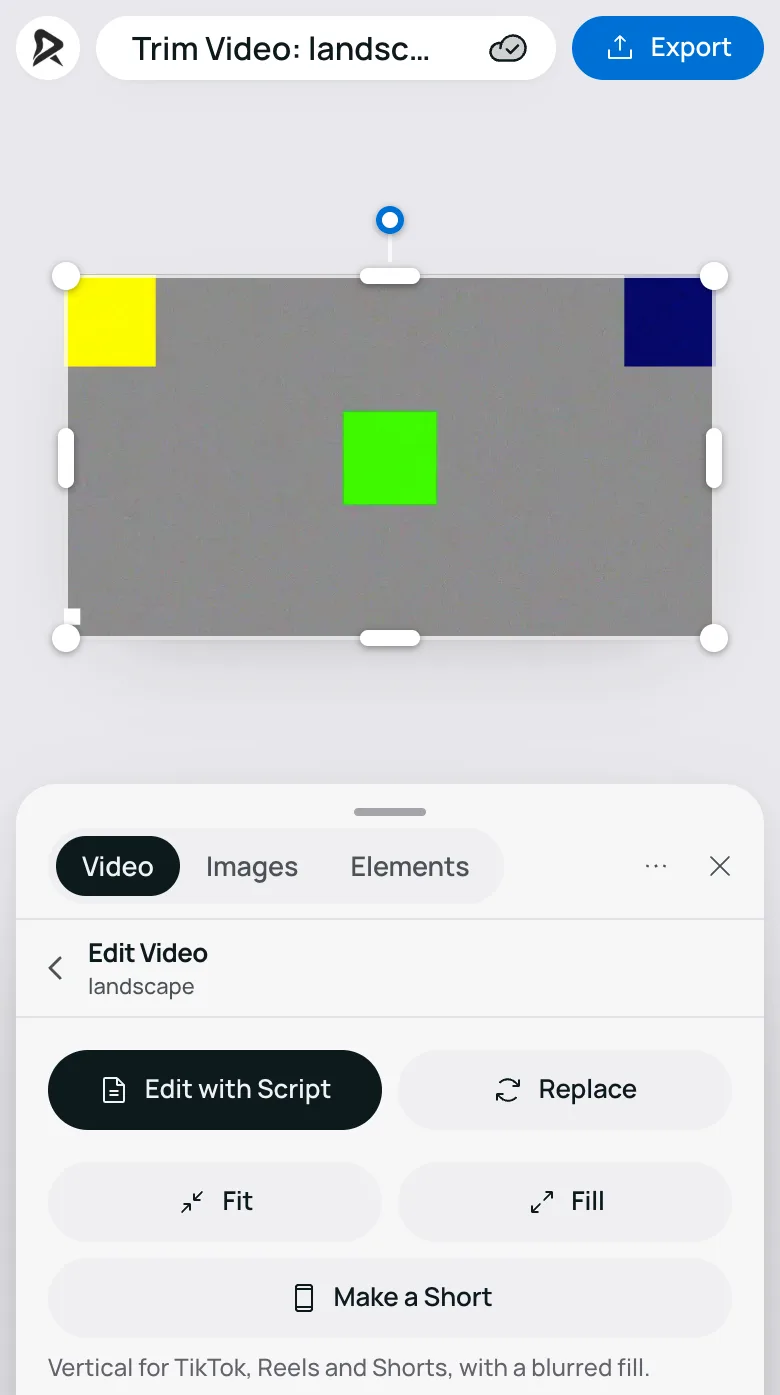
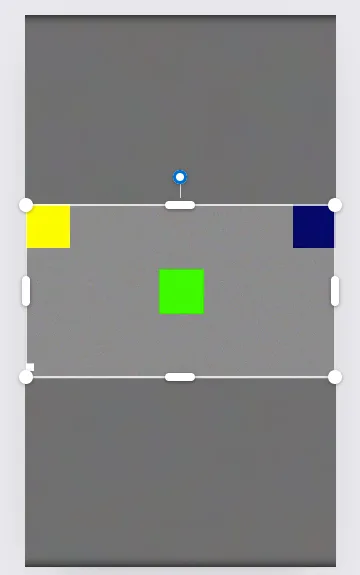
Get clips off a PS5 or Xbox.
From a PS5
Save the clip
Press Create and save a recent gameplay clip. The PS5 can save WebM or MP4. Pick one in Settings, Captures and Broadcasts, Captures, Video Clip Format.
Copy it to a USB drive
Open the Media Gallery, select the clip and choose Copy to USB Drive. Use a drive formatted as exFAT or FAT32.
Or use the PS App
Turn on Auto-Upload in Settings, Captures and Broadcasts, Captures. The clip shows up in the PlayStation App on your phone, ready to save.
From an Xbox Series X or S
Save the clip
Press and hold the Share button to record what just happened.
Copy it to a USB drive
In Settings, Preferences, Capture and share, set the capture location to an external drive. New clips go straight to it.
Or use the Xbox app
Upload the clip to the Xbox network from the console. It shows up in the Xbox app on your phone, ready to save.
GTA 6 clips, answered.
When does GTA 6 come out?
Grand Theft Auto VI comes out on 19 November 2026 on PS5 and Xbox Series X and S. There is no PC version at launch.
Can I record GTA 6 without a capture card?
Yes. Use the console's own capture (Create on a PS5, Share on an Xbox), copy the clip to a USB drive or your phone, and open it in REQO. A capture card and the REQO desktop app add Instant Replay at up to 5 minutes, 60 fps and 4K on Pro.
Does REQO open PS5 WebM clips?
Yes. A PS5 can save WebM or MP4, up to 4K and in HDR. REQO opens both, on the web and in the desktop app.
Why do my HDR clips look washed out?
HDR clips hold more brightness than most players show, and a player that does not convert them shows them grey and flat. REQO converts PS5 and Xbox HDR clips so they look right in the editor and in the export.
How do I turn a clip into a TikTok, Reel or Short?
Open the clip and press Make a Short. REQO makes it 9:16 with a blurred copy of the clip filling the space behind it. It works in the web editor, the desktop app and the Android app.
Is REQO free?
Yes. The desktop app, the web editor and Make a Short are free. 4K console recording and 60 fps exports from the website are Pro.
Is REQO made by Rockstar Games?
REQO is not affiliated with or endorsed by Rockstar Games or Take-Two Interactive. Grand Theft Auto is a trademark of Take-Two Interactive.
REQO is not affiliated with or endorsed by Rockstar Games or Take-Two Interactive. Grand Theft Auto is a trademark of Take-Two Interactive.
Ready for 19 November?
Get the desktop app before launch day, or open the web editor now.