REQO for Windows and Mac.
Record your screen, a game or a console, then edit in the same app. Free, and synced with your reqo.me account.
Pick your system.
- Version
- 0.3.8
- Size
- 45 MB
- Needs
- Windows 10 (version 1903) or Windows 11, 64-bit
The app is not signed yet, so Windows asks once: “Windows protected your PC”. Choose More info, then Run anyway.
- Version
- 0.3.8
- Size
- 18 MB
- Needs
- Apple Silicon (M1 or later), macOS 12.3 or later
Signed and notarized by Apple, so it opens like any other app. Drag REQO to Applications.
One app, record to post.
Recorder with Instant Replay
Record your screen, a window or a game. Instant Replay keeps the last 30 seconds to 5 minutes, and F6 saves it.
Console source
Record a PS5, Xbox or Switch through a capture card, at 60 fps, and in 4K on Pro.
The full editor
Cut, add text and captions, and make a 9:16 Short in one click. HDR clips from a PS5 or Xbox look right.
Synced with reqo.me
Sign in and your recordings and edits are on the website too, and the other way round.
Your console, one click away.
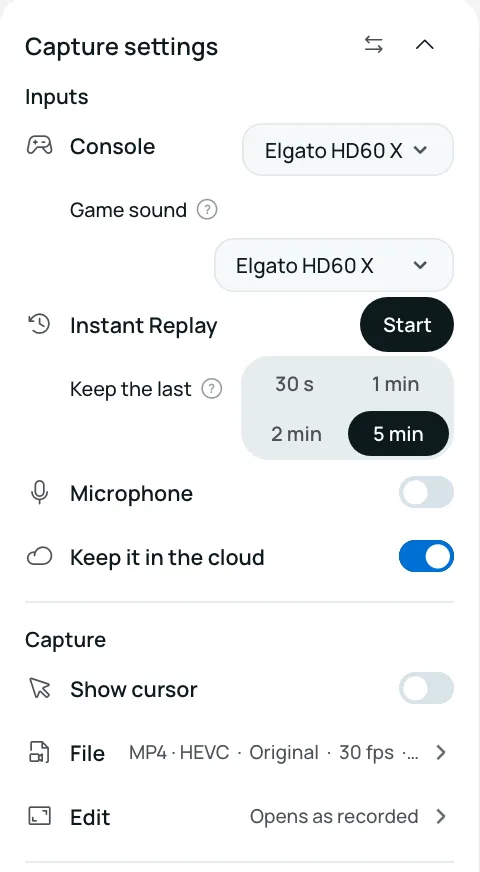
Plug a capture card in, pick Console, and choose how much Instant Replay keeps. Game sound comes through the card. Press F6 after a good moment and it is saved.
Playing GTA 6 this November? Record, cut and post your clips.
Rather stay in the browser?
The web editor opens any clip and makes the same edits, with nothing to install.